
Wearing the sensors
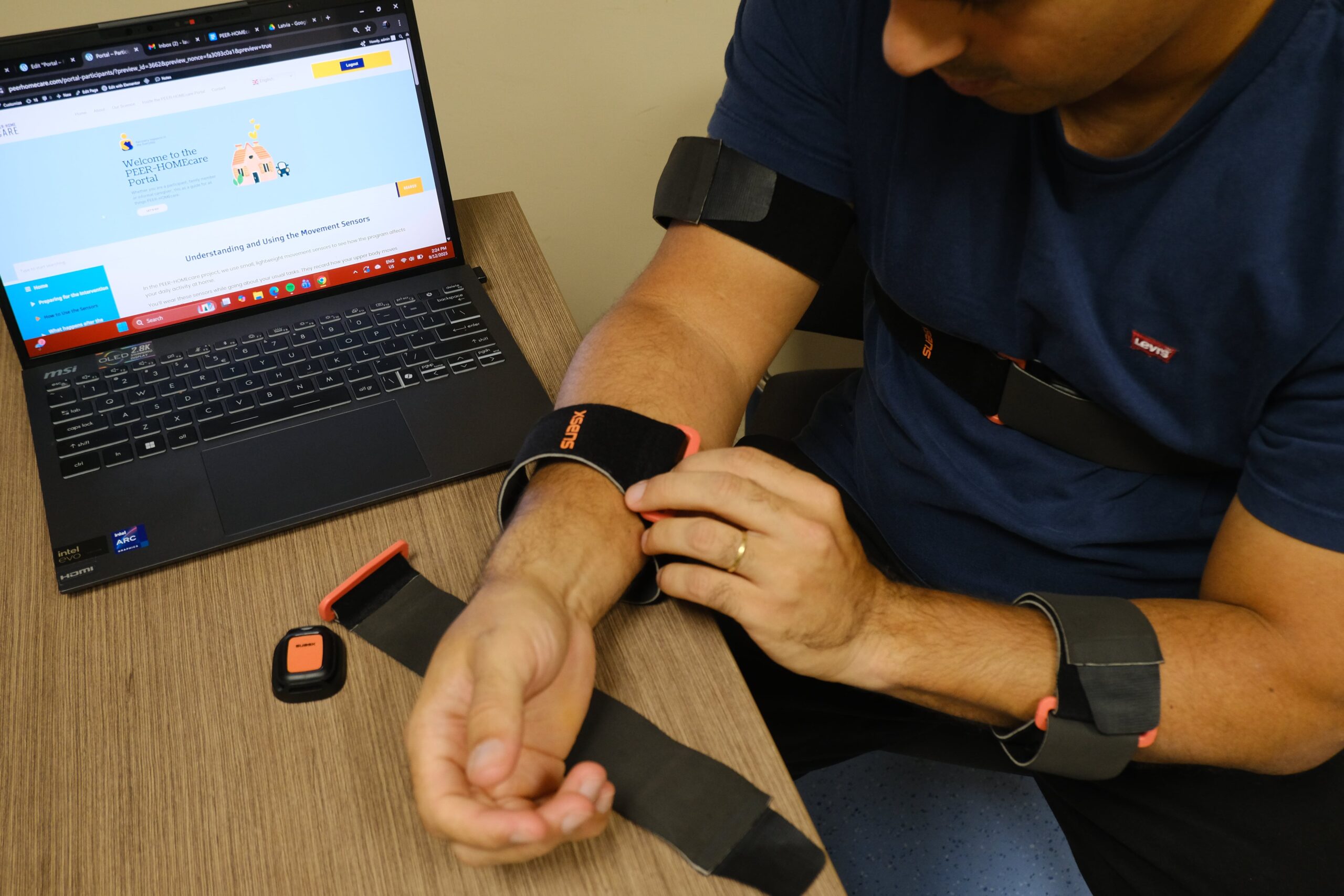
In this study, you will wear four small sensors for two hours per day to help us understand how you use your arm during everyday activities.
The Sensors
Small, light sensors that attach to your body and track how you move throughout the day while going about your daily activities. Your therapist will help you the first time - this page is here whenever you need to look something up.
Instructions
You will receive a box containing everything you need for the next 6 weeks:
✓ 4 sensors
Small devices that record your movement.
✓ 4 magnetic charges connected to one powered USB hub
To charge all sensors at once via USB.
✓ 4 straps and pouches
Velcro straps to attach the sensors to your body.
You will need to place the labelled sensors in the correct position depending on your affected side. Straps should be snug but not painful, and kept in the same position on bare skin (if possible) or over a thin close-fitting sleeve if your project therapist has approved this.
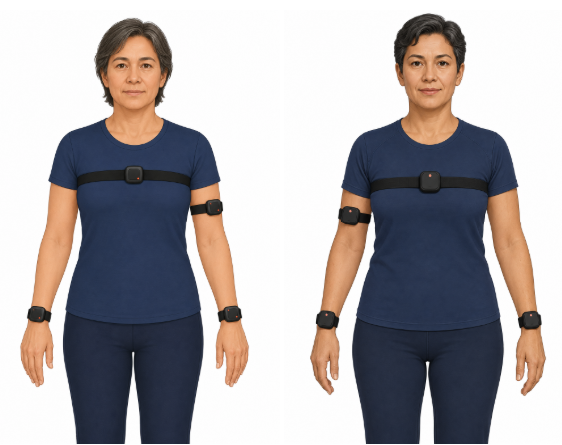
In line with the back of your hand.
Middle of your chest, on the breast bone.
Mid-point between shoulder and elbow.
In line with the back of your hand.
Wear the sensors during the agreed two-hour period while you carry out your usual daily activities.
1
Match labels -Wear all 4 sensors together and ensure they're macthed to its correct body position
2
Note down the start time - Use the daily diary
3
Complete usual actvities for 2 hours/day - Track them in the daily diary
4
Remove sensors and note down the finish time - Use the daily diary
Remember to note the time you put on and take off your sensors. This helps us accurately track your sensor use and understand your activity during your day.
Ask your project therapist or review the FAQs below if you need assistance with the sensors.
1
Charge at least once each week
Try to charge the same day each week or charge when you are not completing the two-hour wear period. Make sure each sensor is completely dry. The magnetic charger will pull the sensor into place. Leave for about three hours. A solid battery icon means fully charged. Return each sensor to its labelled tray.
2
Contact the study team now if you have persistent pain, numbness, swelling, a skin reaction, or a sensor device becomes hot.
Data collection duration
We want to track data 2 hours per day. If you need to remove them in that time, just simply take them off and note it down the time in the daily diary.
FAQ
Common troubleshooting issues and how to resolve them.
No — remove the appropriate sensors before any contact with water. Put them back on afterwards.
✓ Lift if off and place it back on the magnetic charger.
✓ Check the charging pins are aligned and the cable is connected
✓ Do not open or repair the sensor
✓ Contact the project therapist if no charging icon appears
Pause safely. Ask someone to assist you to fix it or note that it has been removed in your daily diary. Talk to your therapist. They can help adjust the placement or tightness of the straps.
Don't worry — just let your therapist know at the next visit.
If the sensor feels uncomfortable, remove it and tell your therapist. Do not continue wearing it if it causes pain, irritation, numbness, or discomfort.